
Last updated on
Nov 7, 2026

IL DSD DC 164 2021-2026 free printable template
pdfFiller is not affiliated with any government organization

Fill out
Complete the form online in a simple drag-and-drop editor.

eSign
Add your legally binding signature or send the form for signing.

Share
Share the form via a link, letting anyone fill it out from any device.

Export
Download, print, email, or move the form to your cloud storage.
Why pdfFiller is the best tool for your documents and forms


End-to-end document management
From editing and signing to collaboration and tracking, pdfFiller has everything you need to get your documents done quickly and efficiently.
Accessible from anywhere
pdfFiller is fully cloud-based. This means you can edit, sign, and share documents from anywhere using your computer, smartphone, or tablet.
Secure and compliant
pdfFiller lets you securely manage documents following global laws like ESIGN, CCPA, and GDPR. It's also HIPAA and SOC 2 compliant.
What is IL DSD DC 164
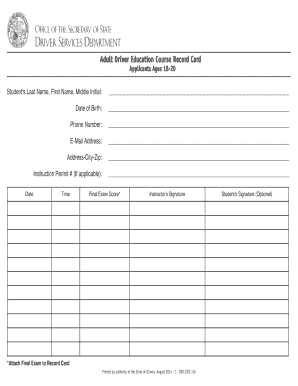
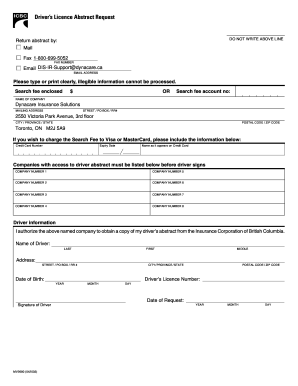
The Illinois Driving Record Abstract Request Form is a legal document used by residents of Illinois to request their certified driving record from the Secretary of State.
pdfFiller scores top ratings on review platforms




Who needs IL DSD DC 164?
Explore how professionals across industries use pdfFiller.

IL DSD DC 164 is needed by:
-
Illinois drivers needing their driving record for personal review
-
Legal representatives assisting clients with driving record requests
-
Individuals applying for jobs requiring a driving record check
-
Insurance companies verifying driving records for policyholders
-
Employers conducting background checks on potential employees
-
Notaries verifying identity during the request process
Comprehensive Guide to IL DSD DC 164
What is the Illinois Driving Record Abstract Request Form?
The Illinois Driving Record Abstract Request Form serves as a pivotal document for individuals seeking a certified driving record from the Illinois Secretary of State. This form contains critical information, including the driver’s name, license number, date of birth, and additional personal details essential for record verification.
Obtaining a certified driving record is crucial for various purposes, such as employment verification or insurance applications, as it enhances credibility and transparency. Completing this form correctly is fundamental to ensure that the request is processed without delays.
Purpose and Benefits of the Illinois Driving Record Abstract Request Form
This form is not only a request tool but also a means to meet several needs. Individuals may require their driving records for employment opportunities, insurance assessments, or legal proceedings. By requesting a certified driving record, users can provide verifiable information that showcases their driving history.
The Illinois Driving Record Abstract Request Form plays a significant role in maintaining accurate records, benefiting both requestors and organizations that rely on such documentation. With this form, users can safeguard their driving history, complying with various requirements set forth by employers and insurance companies.
Eligibility Criteria for the Illinois Driving Record Abstract Request Form
Eligibility to request the Illinois Driving Record Abstract Form is available to a diverse group of individuals. Typically, the requestor can be the driver themselves, a legal representative, or another authorized person. Moreover, the requestor must meet certain age and identification requirements to ensure proper verification.
-
Requestors must be at least 18 years old.
-
Valid identification, such as a driver's license or state-issued ID, is necessary.
-
Legal representatives must provide documentation proving their relationship to the driver.
By understanding these eligibility criteria, individuals can confidently navigate the form submission process.
How to Fill Out the Illinois Driving Record Abstract Request Form Online (Step-by-Step)
Filling out the Illinois Driving Record Abstract Request Form online is a straightforward process that can be completed in a few essential steps. Follow these guidelines to ensure that all required information is accurately submitted.
-
Access the form online through the designated platform.
-
Fill in your driver’s license number and date of birth in the specified fields.
-
Provide your name and any other personal information requested.
-
Review the completed sections for accuracy.
-
Submit the form online or prepare to mail it after notarization.
Pay special attention to key fields, as inaccuracies may lead to processing delays.
How to Sign and Notarize the Illinois Driving Record Abstract Request Form
Signing and notarizing the Illinois Driving Record Abstract Request Form is a fundamental requirement, especially if the form is being mailed in. Understanding the differences between digital and wet signatures is key to proper submission.
A digital signature is acceptable for online submissions, while a wet signature is necessary for forms being sent by mail. Additionally, certain notary requirements must be fulfilled to validate the form.
-
Visit a certified notary public to authenticate the wet signature.
-
Ensure the form is signed in the presence of the notary.
Following these steps will help avoid any complications during the submission process.
Submission Methods and Delivery of the Illinois Driving Record Abstract Request Form
After completing the form, it's essential to understand the various submission methods available. Individuals can either submit their forms online or through traditional mail, depending on their preferences.
-
Online submissions usually process faster than mailed forms.
-
Check for any associated fees related to processing.
-
Expect confirmation of receipt for both submission methods.
Processing times may vary, but understanding these methods will help streamline the request experience.
What Happens After You Submit the Illinois Driving Record Abstract Request Form?
Once the form is submitted, individuals often wonder what will happen next. Users will typically receive confirmation of receipt, allowing for peace of mind in knowing that their request is being processed.
-
Track the status of your request through the portal or contact customer service.
-
Be aware of the potential outcomes: approval, rejection, or a request for further information.
Being informed about these post-submission steps can help users stay proactive regarding their records.
Security and Compliance for the Illinois Driving Record Abstract Request Form
When handling sensitive information, it is vital to ensure that adequate security measures are in place. The Illinois Driving Record Abstract Request Form incorporates various data protection practices to uphold user privacy.
Compliance with regulations such as HIPAA and GDPR underscores the importance of safeguarding personal information. Users can confidently submit their forms, knowing that stringent security measures are being utilized.
Sample of a Completed Illinois Driving Record Abstract Request Form
For those who prefer visual aids, a sample of a filled-out Illinois Driving Record Abstract Request Form can provide a helpful reference. This representation highlights the crucial sections and fields that need to be completed.
Users can obtain or view a sample online, which can further assist in ensuring that the form is filled out correctly before submission.
Enhance Your Experience with pdfFiller
Utilizing pdfFiller can significantly streamline the process of completing forms like the Illinois Driving Record Abstract Request Form. With its user-friendly interface, pdfFiller offers various features aimed at simplifying electronic filing.
Benefits include enhanced document management, security measures, and rapid editing capabilities. Users can enjoy a seamless experience while ensuring their sensitive information remains protected.
How to fill out the IL DSD DC 164
-
1.Access the Illinois Driving Record Abstract Request Form on pdfFiller by searching for the form name in the platform's document search bar.
-
2.Open the form and familiarize yourself with the layout, noting where each information field is located on the document.
-
3.Before starting, gather your driver’s license number, full name, date of birth, and any other personal details required to complete the form.
-
4.Using pdfFiller's interface, click on each blank field to enter your information. Ensure all details are accurate and consistent with your official documents.
-
5.For sections that require checkboxes or signatures, simply click to select options as needed. Remember that notarization is necessary if submitting by mail.
-
6.Review the form thoroughly, checking for any omitted fields or errors. Utilize pdfFiller’s spell-check feature to ensure your information is correctly spelled.
-
7.Finalize the document by saving it on pdfFiller. Click ‘Save’ to keep a copy of your completed form and avoid losing any information.
-
8.Once you are satisfied with the completed form, download it directly from pdfFiller for submission. You can choose to print it or keep a digital copy for your records.
-
9.If submitting by mail, ensure you have a notarized version. Follow the specific mailing instructions provided by the Secretary of State's office.

Who is eligible to complete the Illinois Driving Record Abstract Request Form?
Any individual who holds a valid Illinois driver’s license or is an authorized representative can fill out the form to request their driving record.
What documents are needed to accompany the request?
Typically, you will need your driver’s license number and personal details such as your full name and date of birth to complete the form.
How long does it take to process the driving record request?
Processing times can vary, but typically, you should allow at least 4-6 weeks for your request to be fulfilled after submission.
Is notarization required when submitting this form?
Yes, the Illinois Driving Record Abstract Request Form requires notarization if you choose to mail it. Ensure you have it notarized before sending.
What common mistakes should I avoid when filling out the form?
Make sure all fields are completed accurately, use black or blue ink if filling out by hand, and avoid leaving any sections blank.
Can I submit the form electronically?
While pdfFiller allows you to fill out and save your form digitally, submission methods may vary. Check the specific mailing requirements on the Secretary of State's website for electronic submission options.
What should I do if I don’t receive my driving record after the expected processing time?
If your request takes longer than 6 weeks, consider contacting the Illinois Secretary of State's office directly for an update on your status.
IL DSD DC 164 Form Versions
Related Content
Related Forms




Get the latest insights from our blog


If you believe that this page should be taken down, please follow our DMCA take down process
here
.
This form may include fields for payment information. Data entered in these fields is not covered by PCI DSS compliance.